
Displaying File Names for Multi-File Inputs with Stimulus


When you add a multi-file upload to a Rails form with Active Storage's has_many_attached, the browser's native file input shows something like "3 files" instead of listing the actual file names. This isn't a Rails limitation, it's how <input type="file" multiple> works in every browser. In this post, we'll build a small Stimulus controller that reads the selected files and displays each name, giving users clear confirmation of what they picked. If you're new to Stimulus, the official handbook is a good starting point, as this post assumes basic familiarity.
Understanding the Browser Behavior
Before writing any code, let's understand why the file input behaves this way. A multi-file input looks like this:
<label for="photos">Choose photos:</label>
<input type="file" id="photos" name="photos" accept="image/png, image/jpeg" multiple>
From the MDN file input reference:
When the user selected multiple files, the value represents the first file in the list of files they selected. The other files can be identified using the input's HTMLInputElement.files property.
But the files are accessible through the HTMLInputElement.files property, which returns a FileList containing every selected file. This means that the data is already there in the DOM. We can read it and render the file names with a few lines of JavaScript.
Demo App Setup
To demonstrate the solution, we'll build a simple Pet Adoption Board where shelter staff post pets that are up for adoption with multiple photos.
Create the App
Note that Rails 8 includes Stimulus by default:
rails new pet_adoptions_demo
cd pet_adoptions_demo
Set Up Active Storage and Scaffold
bin/rails active_storage:install
bin/rails db:migrate

bin/rails generate scaffold Pet name:string breed:string age:integer description:text
bin/rails db:migrate
Configure the Model
Add has_many_attached to the Pet model:
# app/models/pet.rb
class Pet < ApplicationRecord
  has_many_attached :photos
end
Update the Controller
It might seem natural to add photos: [] to pet_params, but two things complicate that. First, assigning photos through pet.update replaces the entire attachment collection rather than appending to it. A user adding one photo to a pet that already has three would lose the existing three. Second, we want users to have the ability to remove individual existing photos when editing. The form will handle that with a checkbox per attached photo, submitting pet[remove_photo_ids][] as an array of IDs, which isn't a model attribute. So the controller permits only the regular pet attributes, then handles photos separately: append new uploads after save, and purge any marked for removal.
# app/controllers/pets_controller.rb
def create
  @pet = Pet.new(pet_params)

  respond_to do |format|
    if @pet.save
      attach_new_photos
      format.html { redirect_to @pet, notice: "Pet was successfully created." }
      # ...
    end
  end
end

def update
  respond_to do |format|
    if @pet.update(pet_params)
      purge_removed_photos
      attach_new_photos
      format.html { redirect_to @pet, notice: "Pet was successfully updated." }
      # ...
    end
  end
end

def pet_params
  params.expect(pet: [ :name, :breed, :age, :description ])
end

def attach_new_photos
  new_photos = params.dig(:pet, :photos)
  return if new_photos.blank? || new_photos.all?(&:blank?)

  @pet.photos.attach(new_photos)
end

def purge_removed_photos
  ids = params.dig(:pet, :remove_photo_ids)
  return if ids.blank?

  @pet.photos.where(id: ids).each(&:purge)
end
attach_new_photos digs into params for the uploaded files, guards against blank submissions, and calls attach so existing photos stay put. purge_removed_photos removes any photos whose IDs came in via the remove checkboxes.
Add the File Input to the Form
Update the View
Add a file input before the submit button in app/views/pets/_form.html.erb. When editing a pet that already has photos, also render each existing photo with a checkbox for removing it:
<%# app/views/pets/_form.html.erb %>
<% pet.photos.each do |photo| %>
  <%= image_tag photo %>
  <%= check_box_tag "pet[remove_photo_ids][]", photo.id, false %>
  Remove
<% end %>

<div>
  <%= form.label :photos, "Add photos" %>
  <%= form.file_field :photos, multiple: true %>
</div>
This is just a snippet. See the demo project form for the full markup.
Run the server with bin/dev and visit http://localhost:3000/pets/new. You'll see a form like this:
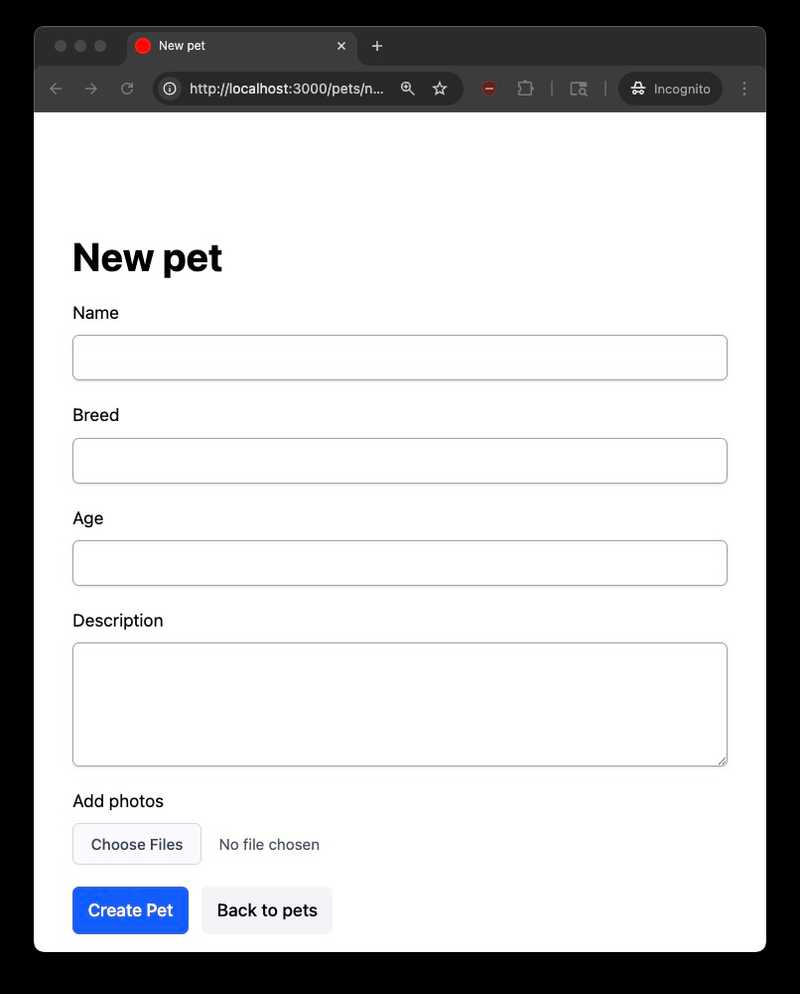
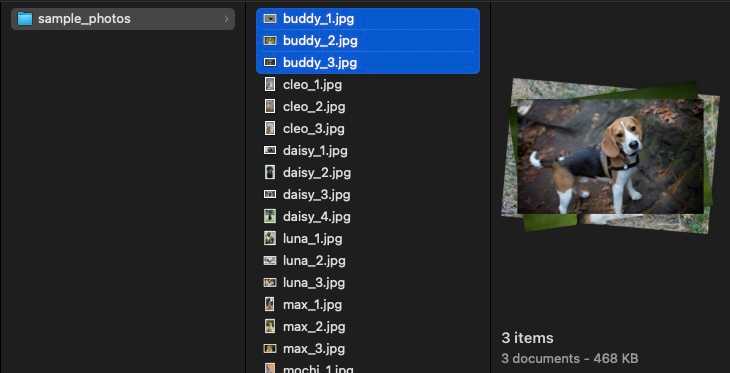
Now click on "Choose Files" and select three files using the OS file picker:
After selecting, the browser just shows "3 files":
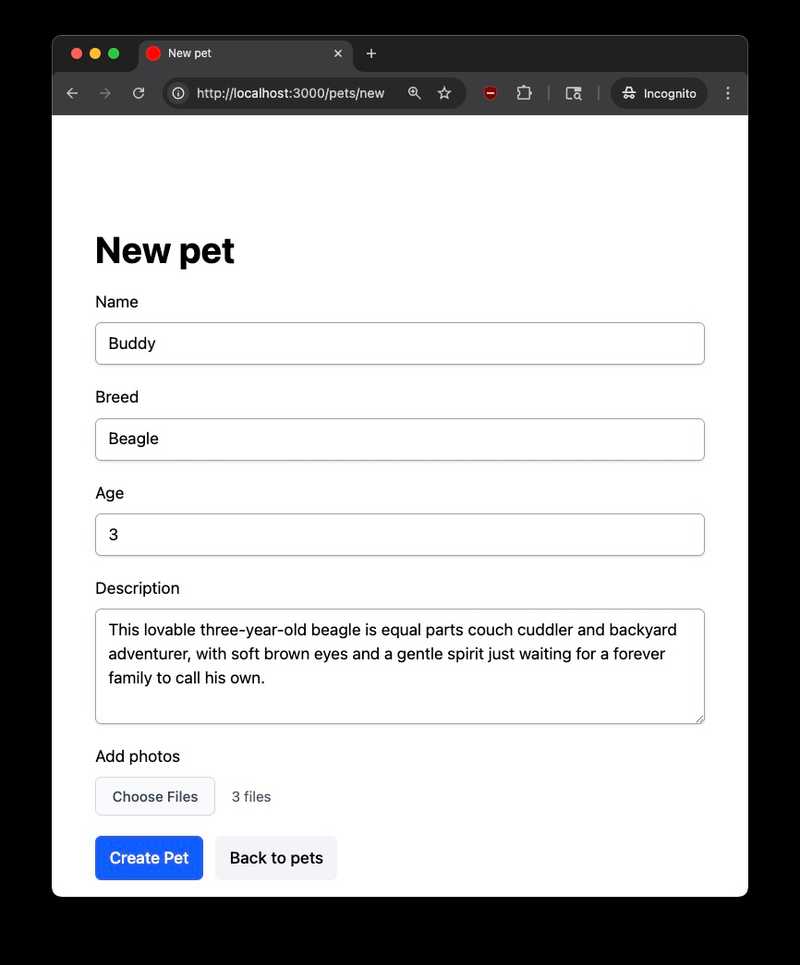
Which three? The user can't tell without opening the file picker again. Let's fix that.
Building the Stimulus Controller
To read HTMLInputElement.files and update the DOM on each selection change, we need a small JavaScript event listener. Stimulus is well-suited for this: it wires DOM events to controller methods with minimal setup and no build complexity.
Generate the controller:
bin/rails generate stimulus file_input
# create  app/javascript/controllers/file_input_controller.js
Replace the generated boilerplate with:
// app/javascript/controllers/file_input_controller.js
import { Controller } from "@hotwired/stimulus"

export default class extends Controller {
  static targets = ["input", "list"]

  updateFileList() {
    const files = this.inputTarget.files
    this.listTarget.innerHTML = ""

    if (files.length === 0) return

    Array.from(files).forEach((file) => {
      const span = document.createElement("span")
      span.className = "pill"
      span.textContent = file.name
      this.listTarget.appendChild(span)
    })
  }
}
Let's walk through this:
static targets = ["input", "list"]declares two targets:inputfor the file input element (to read itsfilesproperty) andlistfor a container div where we'll render the file names.this.inputTarget.filesaccesses theFileListfrom the file input. This is the DOM API that gives us what the browser's native display doesn't show.this.listTarget.innerHTML = ""clears any previously rendered file names. This handles the case where the user selects files, then changes their selection.Array.from(files).forEach(...)converts theFileList(which isn't a true array) to an array, so we can iterate. For each file, we create a styled<span>pill showing the file name.
Wiring It Up in the View
Update app/views/pets/_form.html.erb to wire up the controller:
<div data-controller="file-input">
  <%= form.label :photos, "Add photos" %>
  <%= form.file_field :photos,
      multiple: true,
      data: {
        file_input_target: "input",
        action: "change->file-input#updateFileList" } %>
  <div data-file-input-target="list"></div>
</div>
Three things changed:
data-controller="file-input"on the wrapper div connects this section of the DOM to the Stimulus controllerfile_input_controller.js.data: { file_input_target: "input", action: "change->file-input#updateFileList" }on the file field marks this element as theinputtarget and callsupdateFileList()on everychangeevent (i.e., whenever the user selects files).<div data-file-input-target="list">is an empty container where the controller will render file name pills.
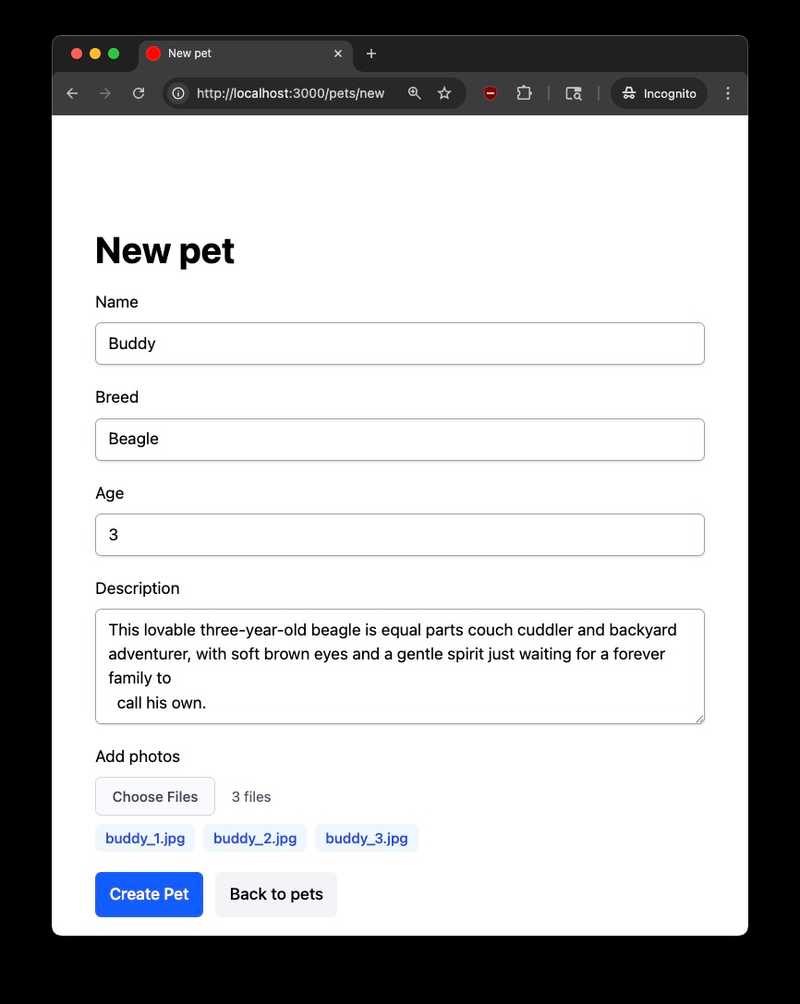
Now when selecting multiple files, it displays each file name as a pill in the list section:
Opening the browser DevTools confirms the controller is creating a <span> for each file:

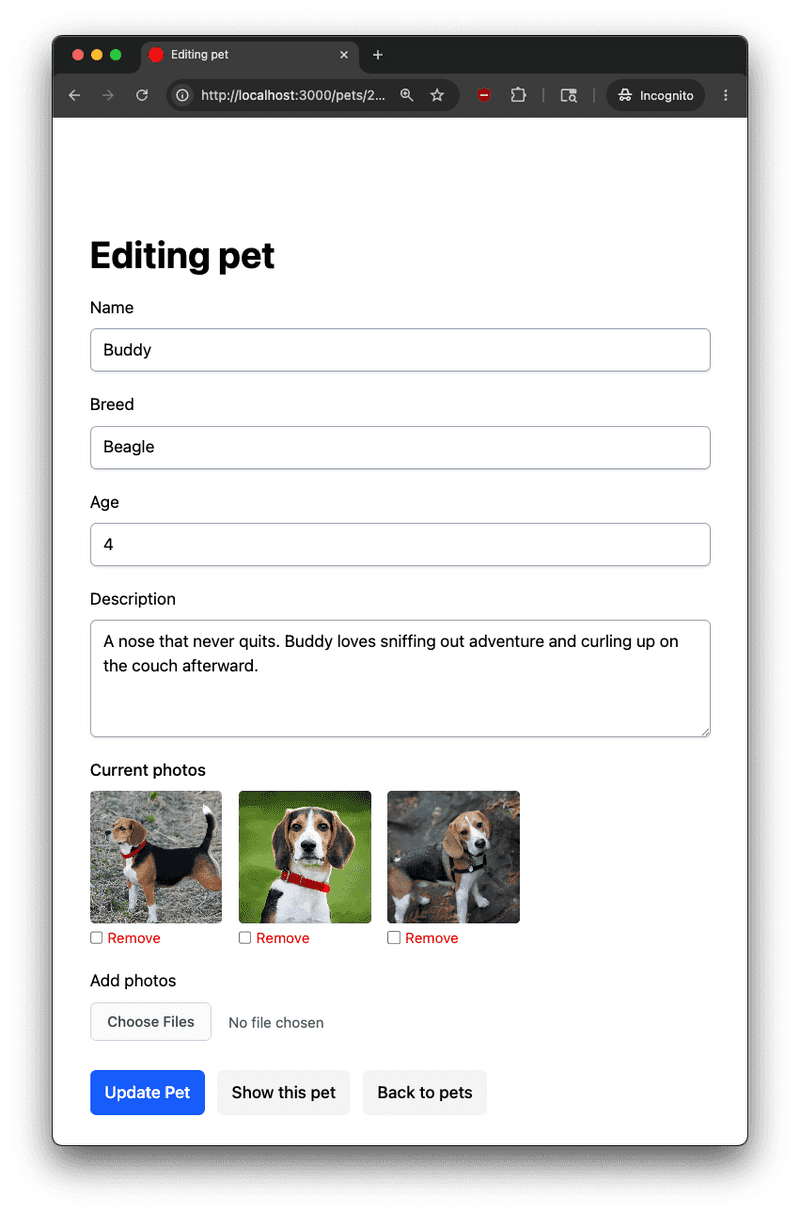
And here is what the edit view looks like for a pet that was saved with photos attached:
What About Existing Solutions?
Before building this, I used an AI assistant to survey the existing solutions. Here's what's available and why I didn't use them:
Full upload libraries like Uppy, Dropzone.js, and FilePond replace the native file input entirely with a custom UI that includes drag-and-drop, image previews, progress bars, and more. If you need those features, they're excellent. But if all you need is to show file names alongside a standard form input, pulling in tens to hundreds of KB of library is overkill.
The Stimulus ecosystem: Searched across stimulus-components, stimulus-use, tailwindcss-stimulus-components, and the awesome-stimulusjs curated list. None contained a file input display controller.
Using Without Rails
Note that Stimulus isn't tied to Rails, so if you want this functionality in any web app, Stimulus can be loaded from a CDN and used as follows:
<!DOCTYPE html>
<html>
<head><title>File Input Demo</title></head>
<body>
  <div data-controller="file-input">
    <label for="photos">Choose photos:</label>
    <input type="file" id="photos" name="photos" multiple
           data-file-input-target="input"
           data-action="change->file-input#updateFileList">
    <div data-file-input-target="list"></div>
  </div>

  <script type="module">
    import { Application, Controller } from "https://unpkg.com/@hotwired/stimulus/dist/stimulus.js"

    const application = Application.start()

    class FileInputController extends Controller {
      static targets = ["input", "list"]

      updateFileList() {
        const files = this.inputTarget.files
        this.listTarget.innerHTML = ""

        if (files.length === 0) return

        Array.from(files).forEach((file) => {
          const span = document.createElement("span")
          span.textContent = file.name
          this.listTarget.appendChild(span)
        })
      }
    }

    application.register("file-input", FileInputController)
  </script>
</body>
</html>
Two things differ from the Rails setup:
Application.start()launches the Stimulus runtime (Rails handles this inapp/javascript/controllers/application.js).application.register("file-input", FileInputController)maps the controller name to the class (Rails'controllers/index.jsdoes this automatically via its eager-load convention).
The data-controller, data-action, and data-*-target attributes in the markup are identical.
Conclusion
The native file input's "n files" display is a well-known UX gap, and the fix is straightforward once you know about HTMLInputElement.files. A small focused Stimulus controller reads the FileList, renders each name, and gives users clear feedback on their selection. The controller itself is framework-agnostic; the standalone example shows it works just as well outside Rails via a CDN import.
The completed demo project is available on Github.


